Apk For Dual App Cloner
In today’s digital world, smartphones have become powerful tools for communication, business, gaming, and social networking. Many users now manage multiple accounts on platforms like WhatsApp, Facebook, Instagram, Telegram, and gaming apps. However, most apps allow only one account per device. This is where an APK for Dual App Cloner becomes extremely useful.
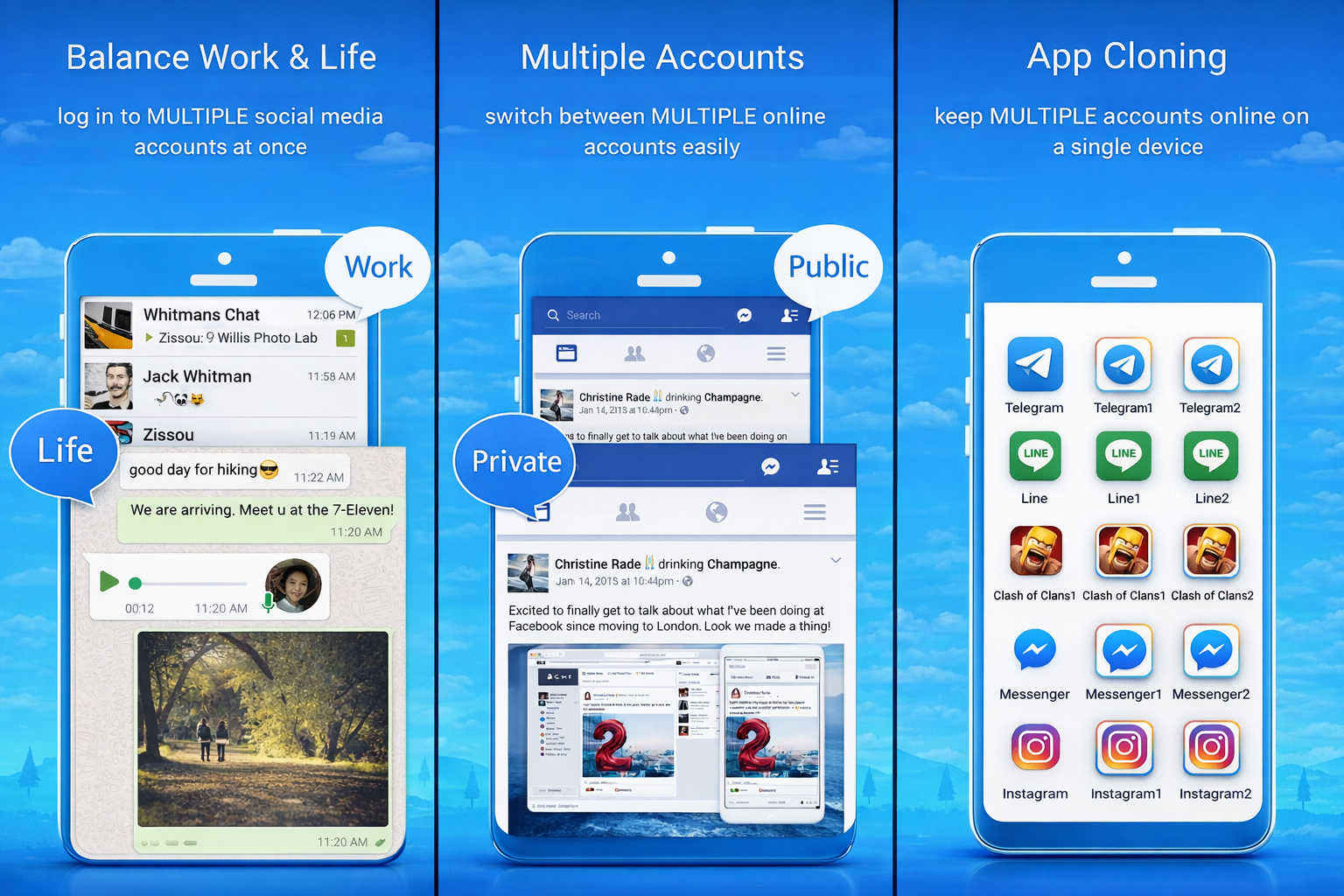
A Dual App Cloner APK allows users to duplicate applications on their Android device so they can run two or more accounts simultaneously. Whether you want to separate personal and professional accounts or manage multiple gaming profiles, a dual app cloner makes it simple and efficient.
In this comprehensive guide, we will explore everything about dual app cloner APKs, including features, benefits, how they work, safety considerations, and the best options available.
What Is a Dual App Cloner APK?
A Dual App Cloner APK is an Android application package file that enables users to create copies of installed apps on their smartphones. These cloned apps work independently from the original application, allowing separate logins and data.
For example:
You can use two WhatsApp accounts on one phone.
You can manage multiple Facebook profiles.
You can play games with two different IDs.
You can separate work and personal social media.
Unlike built-in features available in some smartphones, APK-based dual app cloners work on almost any Android device, making them more flexible.
Why Do People Use Dual App Cloner APKs?
There are several reasons why dual app cloners have become popular:
- Work & Personal Separation
Many professionals prefer to keep work accounts separate from personal ones. With a dual app cloner:
One WhatsApp account can be used for clients.
Another can be used for friends and family.
This creates a healthy digital boundary.
- Social Media Management
Influencers, marketers, and business owners often manage multiple accounts on:
TikTok
Telegram
A dual app cloner makes switching between accounts easier and faster.
- Gaming Benefits
Gamers sometimes maintain:
A main account
A secondary account for practice
Multiple region-based accounts
Dual app cloning helps manage them without logging in and out repeatedly.
- Privacy and Security
Some users clone apps to:
Test new features safely
Keep hidden accounts private
Maintain secure communication channels
Key Features of a Good Dual App Cloner APK
Not all app cloners are equal. The best APK for dual app cloning should offer the following features:
- Easy App Duplication
The app should allow one-click cloning without complicated setup.
- Multiple Clones Support
Some advanced APKs allow:
More than two copies of the same app
Triple or even unlimited clones
- Lightweight and Fast
A good dual app cloner should:
Consume minimal RAM
Avoid slowing down the device
Run smoothly in the background
- Privacy Lock
Many premium dual app cloners offer:
PIN lock
Pattern lock
Fingerprint protection
This ensures your cloned apps stay private.
- Customization
Advanced cloner APKs allow:
Custom app icons
Custom app names
Hidden apps
App hiding mode
- Compatibility
The APK should work with:
Social media apps
Messaging apps
Gaming apps
Business apps
How Does a Dual App Cloner APK Work?
Dual app cloners create a virtual environment within your device. Instead of modifying the original app, the cloner runs a separate instance of the same app.
Here’s how it works:
- You install the cloner APK.
- You select the app you want to duplicate.
- The cloner creates a new version inside its virtual space.
- You log into the cloned app with a different account.
The original app and cloned app do not share data, making them independent.
Built-In Dual App vs APK Cloner
Some smartphone brands offer built-in features like:
Dual Apps
App Twin
Parallel Apps
However, these built-in tools have limitations:
Built-In Feature APK Cloner
Limited app support Supports most apps
Usually only 2 copies Multiple copies possible
Limited customization High customization
No advanced privacy options App lock & hiding features
APK cloners provide more flexibility and control.
Best APKs for Dual App Cloning
Here are some popular dual app cloner APK options:
- Parallel Space
One of the most popular app cloning solutions.
Easy to use
Supports most social apps
Offers privacy lock
- Dual Space
Lightweight and efficient.
Smooth performance
Fast switching
Works well on low-end devices
- 2Accounts
Simple and minimal design.
Stable performance
Good for messaging apps
- Super Clone
Advanced cloning features.
Multiple clones support
App hiding
Customization options
- App Cloner (Mod Version)
Advanced users prefer mod versions because they:
Remove ads
Unlock premium features
Allow unlimited clones
However, users must be careful with mod APKs due to security risks.
Advantages of Using a Dual App Cloner APK
- Increased Productivity
Switch between accounts instantly without logging out.
- Business Growth
Manage multiple business profiles from one device.
- Gaming Flexibility
Play multiple accounts simultaneously.
- Better Organization
Keep personal and professional communication separate.
- No Need for Second Phone
Save money by using one device for multiple accounts.
Disadvantages and Risks
While dual app cloner APKs are useful, there are some risks:
- Battery Drain
Running multiple instances can:
Increase battery consumption
Heat up the device
- Storage Usage
Cloned apps use extra:
Storage space
RAM
- Security Concerns
Downloading APKs from untrusted sources may:
Contain malware
Steal data
Compromise privacy
- Account Restrictions
Some apps may:
Detect cloning
Temporarily restrict accounts
Safety Tips for Using Dual App Cloner APK
To stay safe:
- Download APKs from trusted sources only.
- Avoid suspicious mod versions.
- Use antivirus protection.
- Check app permissions carefully.
- Keep your Android version updated.
- Avoid entering sensitive financial data in cloned apps.
How to Install a Dual App Cloner APK
Follow these steps:
- Download the APK file.
- Enable “Install from Unknown Sources” in settings.
- Install the APK.
- Open the app.
- Select the app you want to clone.
- Create the duplicate.
- Log in with a second account.
Always verify the file before installing.
Who Should Use Dual App Cloner APK?
Dual app cloners are ideal for:
Social media managers
Digital marketers
Online sellers
Freelancers
Influencers
Gamers
Business owners
Students managing multiple groups
Future of Dual App Cloning
As digital lifestyles expand, dual app usage will grow. We can expect:
Better performance optimization
Improved privacy features
AI-based account management
Built-in Android improvements
However, APK cloners will remain popular because they offer more flexibility than system-based solutions.
Final Thoughts
An APK for Dual App Cloner is a powerful tool for anyone managing multiple accounts on a single Android device. It provides flexibility, convenience, and improved productivity. Whether you want to separate work and personal life, grow your business, or manage multiple gaming profiles, a reliable dual app cloner APK can make your digital experience smoother.
However, users must prioritize safety. Always download APKs from secure sources and avoid risky mod versions that may compromise your data.
With the right app and careful usage, dual app cloners can transform how you manage your smartphone accounts — making multitasking easier, faster, and more organized.