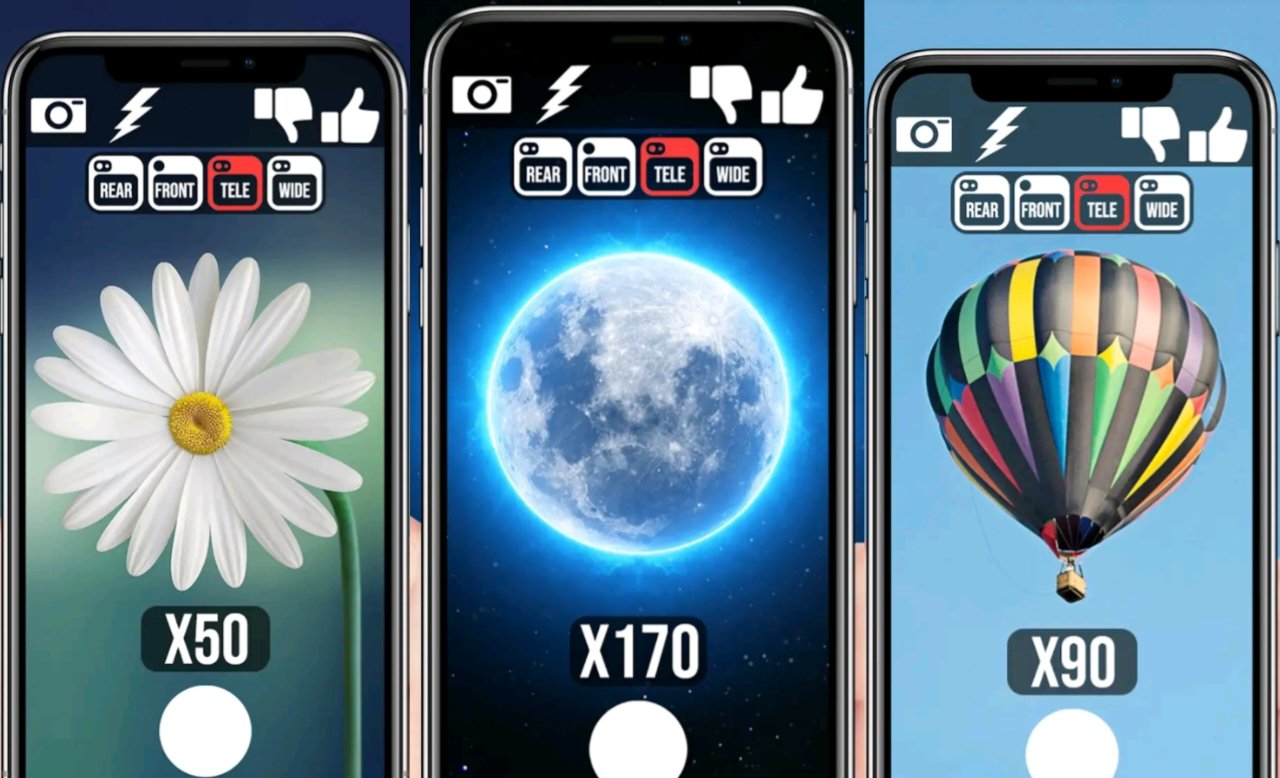
Unlock 200x Zoom on Your Smartphone
In today’s digital era, smartphone photography has transformed the way people capture the world. From stunning landscapes to detailed close-ups of distant objects, mobile cameras are becoming more powerful every year. One of the most exciting features introduced in modern smartphones is extreme zoom capability. The idea of unlocking 200x zoom on your smartphone sounds futuristic and powerful. But is it really possible? How does it work? And can you unlock it on your device?
This detailed guide will explain everything you need to know about 200x zoom, how smartphone zoom works, and the realistic ways to maximize your camera’s zoom performance.
Understanding Smartphone Zoom Technology
Before talking about 200x zoom, it is important to understand how zoom works on smartphones. There are two main types of zoom:
- Optical Zoom
Optical zoom uses physical camera lenses to magnify the subject without losing image quality. It works similarly to DSLR cameras. This type of zoom maintains clarity because it uses real lens movement.
- Digital Zoom
Digital zoom enlarges the image using software processing. Instead of physically zooming, it crops the image and enhances it through AI algorithms. The higher the digital zoom, the more detail is lost.
- Hybrid Zoom
Hybrid zoom combines optical and digital zoom with AI enhancement. This is how modern smartphones achieve extreme zoom levels like 50x, 100x, or even more.
Can You Really Unlock 200x Zoom?
Now comes the main question: Can you unlock 200x zoom on any smartphone?
The honest answer is:
It depends on your hardware.
Hardware Limitations
If your phone does not have a telephoto or periscope lens, it cannot magically produce real optical zoom. Apps that claim to unlock 200x zoom usually increase digital zoom beyond the manufacturer’s limit.
Software Enhancement
Some third-party camera apps use AI-based upscaling and sharpening to simulate higher zoom levels. However, this is not true 200x optical zoom. It is enhanced digital magnification.
Methods to Achieve Maximum Zoom Performance
Even if your phone does not officially support 200x zoom, you can still improve your zoom photography.
- Use Professional Camera Apps
Apps like manual camera apps allow you to control ISO, shutter speed, and focus. This helps improve clarity when zooming digitally.
- Use a Tripod
Extreme zoom amplifies small movements. Even slight hand shaking can blur the image. Using a tripod dramatically improves results.
- Use Clip-On Telephoto Lenses
External smartphone lenses can add optical magnification. These attach to your phone and provide additional zoom capability.
- AI Upscaling Tools
Photo enhancement apps can sharpen zoomed images after capture.
- Good Lighting Conditions
Zoom photography works best in bright lighting. Low light reduces detail and increases noise.
How 200x Zoom Technology Works
When manufacturers advertise 100x or 200x zoom, they combine several technologies:
High-resolution camera sensors (108MP or more)
Periscope telephoto lenses
Optical image stabilization (OIS)
AI image processing
Multi-frame stacking
At extreme zoom levels, AI plays a major role. The software analyzes patterns, enhances edges, and reduces noise to make the image appear sharper than it actually is.
Is 200x Zoom Practical?
While 200x zoom sounds impressive, it is not always practical for everyday photography.
Pros:
Capture distant buildings
Zoom into wildlife
Moon photography
Surveillance-like long-distance shots
Cons:
Quality loss at extreme levels
Heavy reliance on AI
Requires stable hands or tripod
Not suitable for moving subjects
For most users, 10x to 30x zoom is more than enough for high-quality images.
Moon Photography and Extreme Zoom
Many smartphones advertise their ability to capture the moon clearly. Devices like Samsung’s Ultra series use AI to enhance lunar details. However, there has been debate about how much AI contributes to the final image.
Extreme zoom photography of the moon often combines:
Multi-frame processing
AI texture enhancement
Digital sharpening
Future of Smartphone Zoom
The future of smartphone zoom looks promising. Companies are researching:
Variable optical zoom lenses
Larger periscope sensors
AI-powered super-resolution
Improved image stabilization
It is possible that true 200x optical zoom may become available in future flagship smartphones.
Tips to Unlock Maximum Zoom Power on Any Smartphone
If you want to push your device to its limits, follow these steps:
- Update your camera software.
- Enable high-resolution mode.
- Use Pro mode for manual adjustments.
- Stabilize your phone.
- Use editing tools to enhance details.
- Avoid over-zooming in low light.
- Clean your camera lens before shooting.
Reality vs Marketing
Many online videos and APK files claim to unlock hidden 200x zoom features. Be careful when downloading unknown apps. Some may:
Contain malware
Steal personal data
Reduce camera quality
Damage your phone’s system
True optical zoom cannot be unlocked without hardware support. Always rely on official features or trusted apps from secure app stores.
DOWNLOAD
Final Thoughts
Unlocking 200x zoom on your smartphone is an exciting concept. While some high-end devices offer up to 100x zoom using advanced hardware and AI, reaching 200x true optical zoom is still beyond most current smartphones.
However, with the right tools, accessories, and techniques, you can maximize your zoom performance and capture impressive long-distance shots. Whether you use flagship models like the Samsung Galaxy Ultra series or mid-range phones, understanding your device’s capabilities is key.
Smartphone photography continues to evolve rapidly. With advancements in AI, sensor technology, and optical engineering, the dream of true 200x zoom may soon become reality.
Until then, focus on mastering lighting, stability, and editing skills — because even the best zoom technology cannot replace good photography technique.
